A new lead.
The same beat.

Put an original character into the Bulin 47 performance. Choose your clip length and frame, then use the prepared reference to guide the scene.

Character photoReference soundtrack8, 15 or 23 seconds
Open the freestyle studio
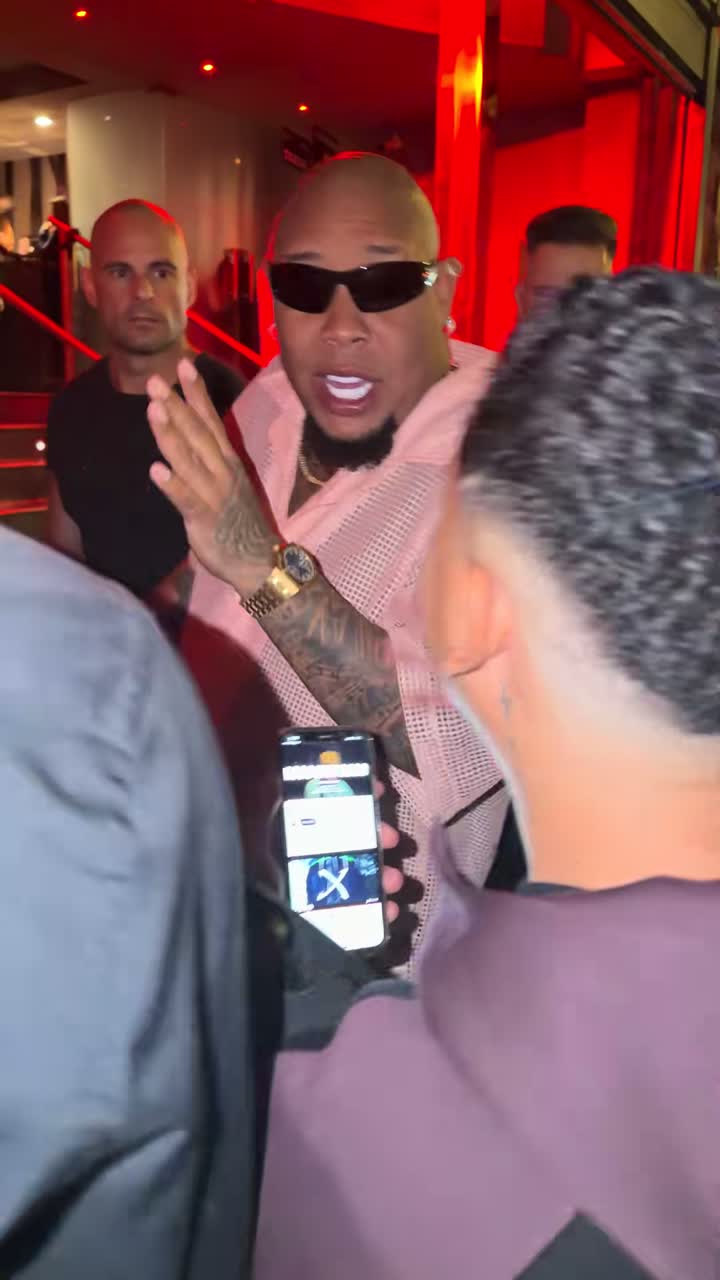
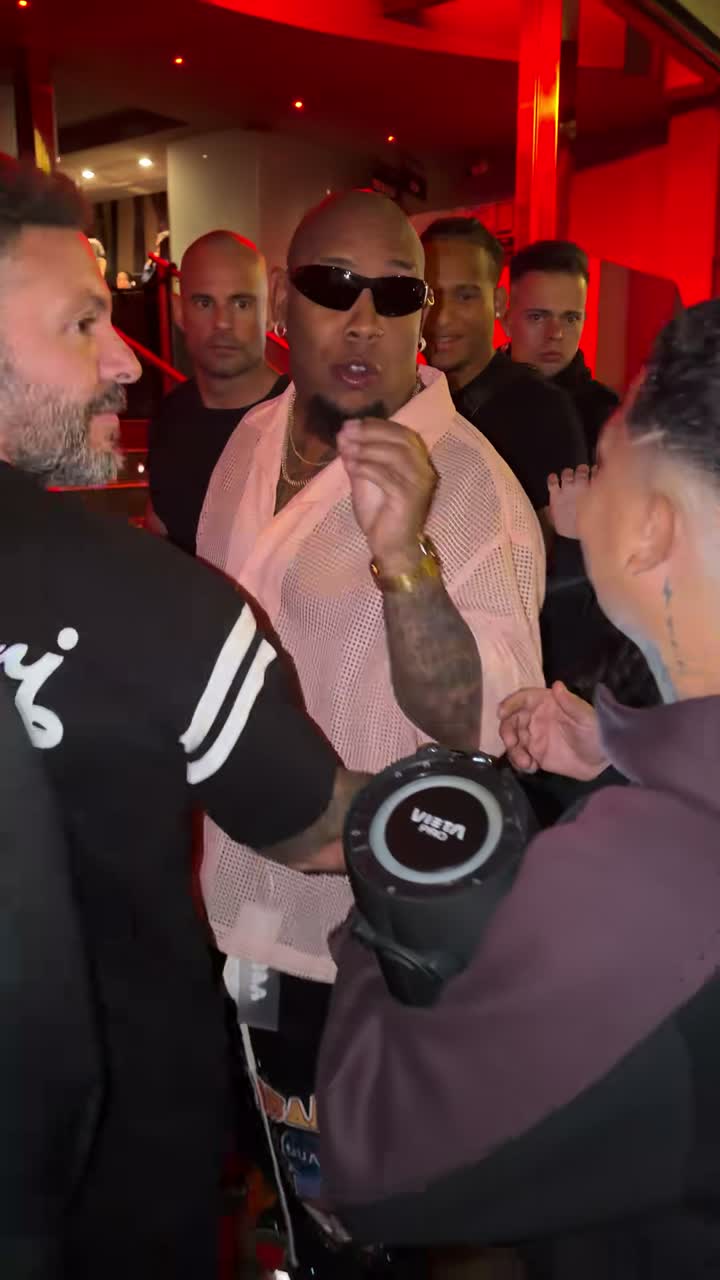
Original Bulin 47 street freestyle reference outside a red-lit entranceOriginal reference · not an AI result

Bulin 47 performance studio

Choose the character. Set the take.

01

Character reference

Character photo is all you need.

One clear face · JPG, PNG or WebP · max 10 MB

9:16 format8 seconds720p HDOriginal audio
Clip duration
Output frame

Your character reference and the original video guide the performance. The matching source audio is restored afterward. Appearance, gestures and lip sync may vary.

Template preview · generation and checkout are paused.

Performance preview

Watch the selected source cut

Kevin Wai’s original recording · 8s reference, not an AI result. View source ↗

Completed takes will be shown here when rendering opens.

One photo in

How this performance template works

A photo defines the character; the source clip defines the performance.
Original Bulin 47 freestyle reference footageOriginal reference
01One photo in

Start from a recognizable character

The character image should clearly show a face, hairstyle or fur pattern, and the intended outfit. It supplies the appearance of one lead rather than an identity for every person in the scene.

Original Bulin 47 freestyle reference footageOriginal reference
02The original performance

Use the performance as the motion guide

The selected excerpt provides gesture timing, camera movement and foreground occlusions. Instructions target the performer behind the speaker holder, while asking the model to retain the other roles.

Original Bulin 47 freestyle reference footageOriginal reference
03Your own freestyle

Finish with the matching audio

The 8-second option is a compact take; 15 seconds includes more of the sequence. The 23-second option joins two sections before restoring the source soundtrack. Check likeness, hands and sound before sharing.

Images show the original reference. AI may change background details and surrounding people. Read the template guide ↗

Three simple steps

From image to a finished take

01 / 03

Upload one portrait

Choose an original character image or a photo of an adult who authorized this use. Keep the face and clothing easy to read.

02 / 03

Choose your take

Select 8, 15 or 23 seconds and the output frame. The reference clip supplies the performance rather than a new prompt-only scene.

03 / 03

Create and download

Review the character and motion result before downloading. Rendering is paused today; you can preview the source and keep a local setup.

Pricing

Pick a one-time credit pack.

8 seconds uses 2 credits · 15 seconds uses 3 · 23 seconds uses 5. One-time credit packs. Checkout is paused.

Starter

$6.90

2 credits

  • Up to 1 videos at 8 seconds
  • 8s uses 2 · 15s uses 3 · 23s uses 5
  • 720p HD downloads
Checkout paused

Duo

$9.90

4 credits

  • Up to 2 videos at 8 seconds
  • 8s uses 2 · 15s uses 3 · 23s uses 5
  • 720p HD downloads
Checkout paused

Studio

$29.90

20 credits

  • Up to 10 videos at 8 seconds
  • 8s uses 2 · 15s uses 3 · 23s uses 5
  • 720p HD downloads
Checkout paused

Good to know

Before you prepare a take

Which part of the scene does my image control?+

The intended replacement is the lead behind the portable speaker. Your image guides that character’s appearance; source footage guides staging and motion. AI can still alter nearby people, fingers, clothing and mouth timing.

Is the soundtrack a voice clone?+

No new imitation of your voice is requested. The delivery stage restores the selected source recording, which still requires the relevant audio and performance permissions.

What is available in this release?+

The current release is a preparation studio. It plays the source excerpt, previews your selected image and saves settings locally. Public model submission and payment are disabled.

How do the three source cuts differ?+

All options begin at 00:09 of Kevin Wai’s recording. Eight seconds ends at 00:17, fifteen ends at 00:24, and twenty-three ends at 00:32. The longest option is processed as 15 seconds plus an 8-second continuation.

What makes a useful character reference?+

Use a single, well-lit subject with enough face and upper-body detail to identify the intended look. Avoid heavy filters, a covered face and group shots. Only submit material you own or are allowed to process.
Bulin 47 Character Video Template | AI Trend Videos