01Your appearance reference
Give the lead a clear identity
A well-lit face, readable clothing and a single subject give the model a useful starting point. Original designs and consenting adults can become the lead.
Make a Bulin 47 AI video from one character photo. Follow the viral street freestyle with your own look, choose 8 or 15 seconds, and review the performance before sharing.
AI Trend Videos · Freestyle studio
A clear image defines the lead’s face and outfit.
JPG, PNG or WebP · max 10 MB each · originals or consenting adults
Your image sets the lead’s look and clothes. The source cut guides the street setting, gestures and mouth timing. Check likeness, hands and outfit before sharing.
Connecting to the studio…
Reference playback
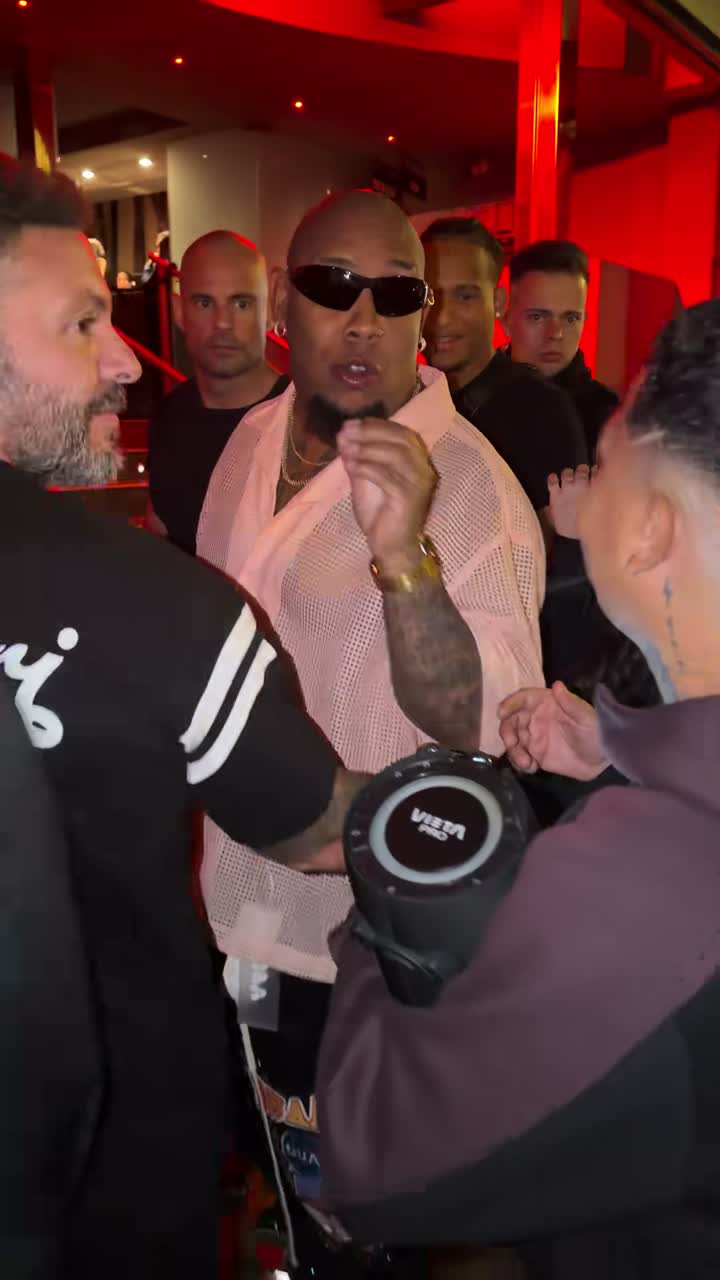
Original source excerpt, shown as a motion reference—not an AI result. Open the source recording ↗
Find your completed take in your video library.
A character-driven template
A well-lit face, readable clothing and a single subject give the model a useful starting point. Original designs and consenting adults can become the lead.
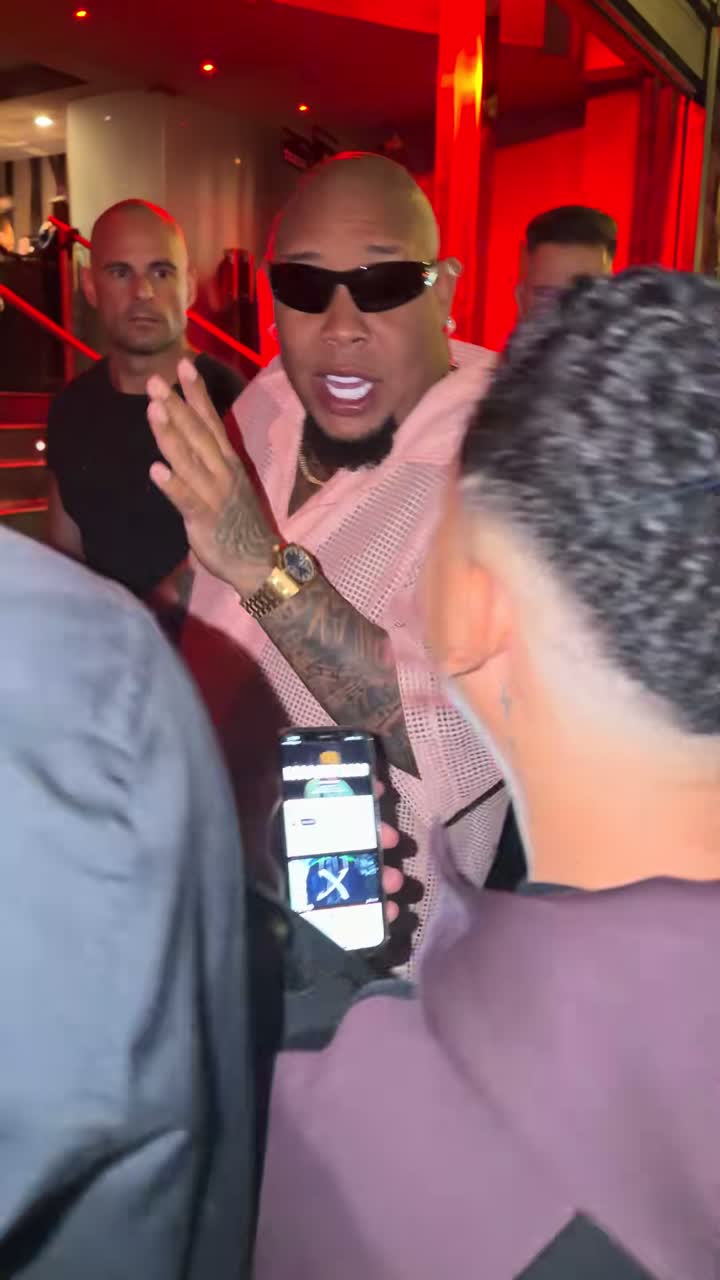
The red-lit entrance, portable speaker and passing foreground define this template. The source excerpt guides the gestures while your image sets the lead’s appearance.
Play the result through once. Look for changes in clothing, hands or background faces, and confirm that the audio matches your intended use.
The original freestyle and the AI remakes have different histories. These milestones follow the source and dated reporting.
The source performance shows Bulin 47 responding to Kevin Wai's portable-speaker freestyle outside a venue in Spain. Open the creator's recording to compare the setting, lead performer and timing.
Kevin Wai's source recording ↗MARCA reported the freestyle's spread across social platforms and the AI edits that substituted new performers while following the recording's gestures and sound.
MARCA coverage ↗El Seis reported another widely shared AI dance edit based on the Bulin 47 trend. This is a dated example of its circulation, not a claim about its search-interest peak.
El Seis coverage ↗Build your take
01 / 03
Choose one authorized image with a clear face and visible outfit.
02 / 03
Pick 8 or 15 seconds and one of four supported formats.
03 / 03
Progress updates automatically after submission. Review your edit and save it from the library.
Guide updated
To make a Bulin 47 AI video, start with one character photo and the prepared freestyle reference. The photo defines who performs; the reference supplies the gestures, staging and camera timing. This is a generated remake of the viral clip, so review the whole take before posting it.
Use a sharp, front-facing image with one subject, visible shoulders and the outfit you want in the result. Keep hair, jewelry and clothing easy to distinguish from the background. A tightly cropped face gives the model less information about the rest of the character. Avoid heavy beauty filters, covered eyes and another person's face in the same photo. The studio accepts JPG, PNG or WebP up to 10 MB.
Preview the source before choosing a duration. The current Bulin 47 template starts at 00:09 in Kevin Wai's recording: the 8-second cut runs to 00:17 and the 15-second cut to 00:24. Longer does not automatically mean a better match; it includes more turns, gestures and foreground movement for the model to handle. Choose the shorter cut when you want to evaluate a new character.
Select 9:16 for a vertical TikTok or Reels post, 16:9 for a landscape video, or 3:4 and 4:3 for an intermediate crop. The source performance is vertical. A wider output asks the model to interpret more surrounding space, so check that the portable speaker, hands and nearby people remain readable. These presets prepare a 720p output; they do not restore missing detail in a blurry input photo.
Confirm that you can use the photo and selected media. When rendering is enabled, the studio verifies payment or reserves account credits before uploading your image. It prepares an appearance reference, generates the performance, formats the result and restores the matching source audio. Progress follows these stages rather than an invented model percentage. If a take is still processing, return to its existing task instead of creating a second paid request. The studio displays current availability while rendering is paused.
Watch once for identity and clothing, once for hands and background faces, and once with sound for mouth timing. Small gestures, turns or someone passing in front of the lead can change the likeness. Matching audio does not guarantee perfect lip sync. Download a completed take from My creations and label it as an AI edit when sharing; do not present it as a real performance by the uploaded subject.
This Bulin 47 AI video generator prepares the appearance and motion inputs for you. On a general platform such as Dreamina or Higgsfield, check the selected model's current inputs before paying: image-to-video, reference-video generation and motion transfer are different capabilities. A prompt can describe a freestyle scene, but it cannot by itself specify every gesture in the source. Use an authorized reference video when exact timing matters, then align an authorized soundtrack in an editor if your model does not accept audio.
For help choosing an image or diagnosing a changed outfit, read our Bulin 47 AI photo and troubleshooting guide. The pricing section shows current packs, and About the models explains the actual generation workflow.
Credit packs
2 credits
4 credits
10 credits
20 credits
Before you render
The Bulin 47 AI trend uses a character photo to recreate the lead performance in the freestyle recorded with Kevin Wai. The recognizable elements are the street entrance, portable speaker, gestures and dembow rhythm. An AI remake is an edited video, not an authentic recording of the uploaded person.
Choose one clear character photo, select 8 or 15 seconds and a video format, then confirm your media permissions. When rendering is available, complete the required checkout or use account credits. Follow the upload and generation progress, review the result, and download it from My creations.
This studio uses Google Nano Banana 2 for the appearance reference and Alibaba Wan 3.0 through fal.ai for the performance video. The preset supplies the source cut. A general video editor or AI platform requires you to prepare equivalent image, motion and audio inputs yourself.
Check whether the platform's current model accepts a reference video as well as a character image. A text prompt alone does not supply the original timing or camera movement. AI Trend Videos is independent of Dreamina and Higgsfield and does not require an account with either platform.
Use one well-lit subject with a visible face, hair or fur, shoulders and intended outfit. JPG, PNG and WebP files up to 10 MB are supported. Group photos, strong filters and covered faces make appearance matching harder. Use your own image or obtain the required permission.
Your image guides the intended face and outfit, but AI can change details during turns, hand movements or occlusion. Inspect clothing, facial features and background people before sharing. Exact likeness, an unchanged crowd and perfect lip sync are not guaranteed.
Yes. A pet or fictional character can supply the appearance reference when you have the necessary rights. Use one clearly visible subject. Animals and stylized characters may follow human gestures less faithfully than a compatible human reference.
The workflow restores the matching source-audio excerpt after visual processing. It does not clone the uploaded person's voice or generate a new freestyle. The street recording and a later studio song are separate recordings; photo consent does not grant audio rights.
No free model generation is offered. You can inspect the reference and prepare a setup without a charge. Paid rendering and checkout depend on availability; the pricing section lists the current credit packs. Saving a setup does not create a video.
Availability is checked before rendering. An account can use its personal credits; a guest can pay for one take when checkout is enabled. Your image and frame settings are saved in this browser for the checkout return.